# Optional: Public Portal
This step is completely optional. It’s mainly useful if you want:
* One public place with all your paid access links
* A clean and simple entry point for new users
* A Telegram-native experience (no external landing page)
## Prerequisite – Set Up Your Telegram Integration
Beforehand, make sure to create a paid product in this section and finish by integrating it via Telegram [telegram-integration](https://suby.gitbook.io/documentation/platform-integration/telegram/telegram-integration "mention")
## Step 1 - **Create a public Telegram channel**
* The channel must be **public**
* Members should **not be allowed to post**
## Step 2 - **Select this public channel via the Suby bot**
## Step 3 - Click “Post Portal”
* The bot will publish your portal inside the channel
Your portal will display your paid product(s) with a clear call-to-action button:
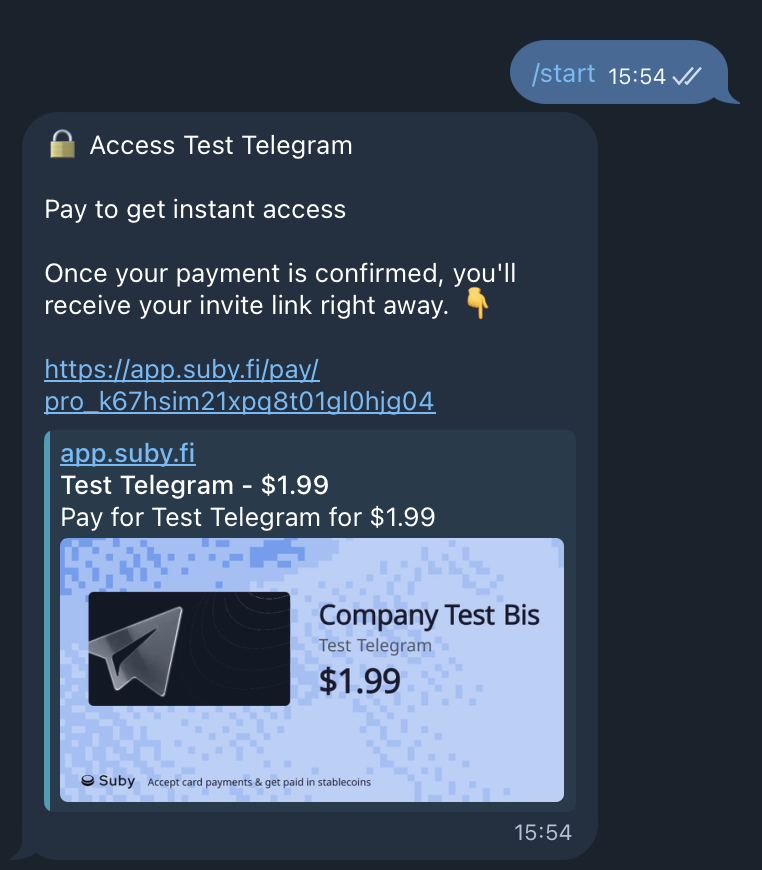
#### User flow
1. The user clicks “Pay for \[your paid product]”
2. The user clicks Start in the Suby bot
3. The bot automatically delivers the corresponding paylink
4. Once the payment is completed, the private community access link is sent to the user by the same bot
That’s it, fully automated, simple, and Telegram-native.